1. Introduction: Why the Dupline DT01 Matters in Industrial Networks
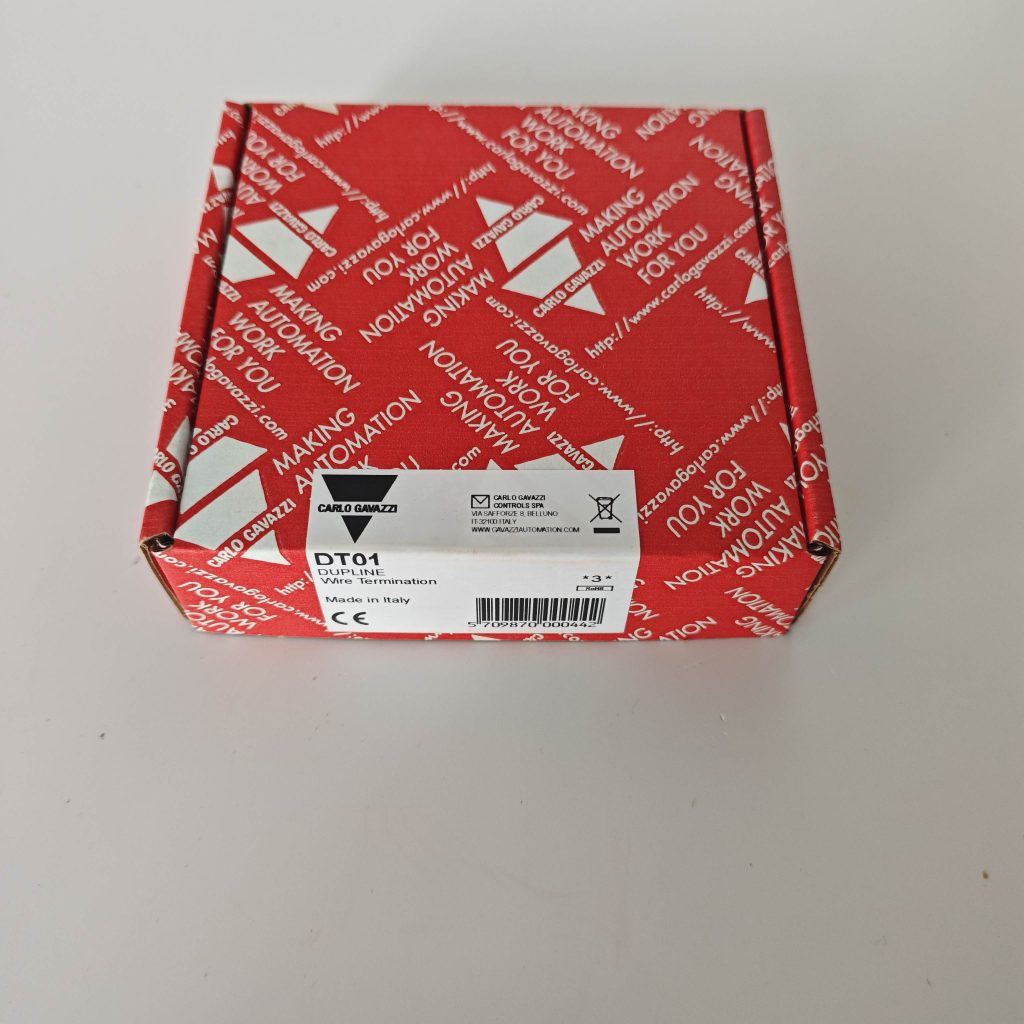
In the modern era of industrial automation, data integrity and communication stability are critical for plant efficiency and safety. Within distributed control systems, the Carlo Gavazzi Dupline fieldbus has become a global standard, known for its robustness and simplicity. However, every reliable fieldbus requires a precise electrical termination point — and that’s where the Dupline DT01 Industrial Bus Terminator plays a crucial role.
The DT01 module is not just a passive component; it is an engineered solution designed to maintain signal quality, minimize reflection, and optimize impedance matching within the Dupline network. A proper installation of the DT01 ensures that data transmission between sensors, actuators, and controllers remains error-free even under high noise and long-distance cabling conditions.
This installation tutorial provides a comprehensive, step-by-step guide on how to correctly install the Dupline DT01 bus terminator, understand its functions, avoid common mistakes, and achieve long-term system reliability.
For detailed product information, technical datasheets, and compatibility charts, visit www.carlogavazzidupline.com.
2. Understanding the Role of DT01 in Dupline Networks
2.1 What Is a Bus Terminator?
A bus terminator is an electrical device that prevents signal reflections in data transmission lines. In any bus communication system, such as Dupline, the transmission line has a characteristic impedance (typically around 120 Ω). If the end of the line is left open, part of the transmitted signal reflects back, causing interference, unstable readings, or communication errors.
The Dupline DT01 module contains an optimized termination resistor and filtering network. Its purpose is to absorb residual energy from the signal line and ensure a clean signal waveform across all connected devices.
2.2 Key Functions of the Dupline DT01
- Provides proper line impedance matching for stable communication.
- Suppresses electromagnetic interference (EMI) and reflection noise.
- Maintains consistent signal amplitude across long cable runs.
- Works passively — no external power supply is required.
- Designed for DIN rail mounting, ensuring compact installation in control panels.
- Fully compatible with all Carlo Gavazzi Dupline devices including gateways, repeaters, and I/O modules.
2.3 Why Proper Installation Is Crucial
Even though DT01 is a passive device, its impact on system reliability is significant.
A miswired or misplaced terminator can lead to:
- Signal distortion or reflections
- Unstable communication between nodes
- System noise interference
- Data transmission delays or loss
Hence, understanding correct installation procedures is essential for every automation engineer using the Dupline system.
3. Pre-Installation Preparation
Before installing the DT01 bus terminator, ensure that your network and environment meet the necessary technical and safety requirements.
3.1 Tools and Materials Required
- Insulated screwdriver (for terminal connection)
- Wire stripper and cutter
- Dupline-certified twisted pair cable (0.5–1.5 mm²)
- Cable markers for polarity labeling (A/B)
- Dupline GTU8 tester (for verification)
- Grounding and shielding accessories
3.2 Safety Considerations
- Always disconnect power from the control network before wiring.
- Ensure electrostatic discharge protection (ESD) when handling Dupline modules.
- Follow IEC and EN industrial installation standards.
- Avoid installing DT01 near high-voltage cables or strong magnetic fields.
3.3 Understanding Network Topology
The Dupline network topology is linear — not a star or ring.
All devices (input/output modules, repeaters, gateways) must connect along a single two-wire bus, and the DT01 must be installed at the physical end of this bus.
Example layout:
[Gateway] → [I/O Modules] → [Repeater] → [DT01 Bus Terminator]
4. Step-by-Step Installation Guide
Step 1: Identify the End of the Dupline Bus Line
Locate the last physical device in your Dupline system — this is where the DT01 should be installed. It ensures that the network has one continuous signal path with proper termination at the end.
Step 2: Prepare the Cable Ends
Strip approximately 6–8 mm of insulation from the Dupline cable ends. Use appropriate wire cutters to avoid damaging the conductor.
Step 3: Verify Cable Polarity
Dupline uses two signal lines, typically marked A and B. Maintaining consistent polarity throughout the network is critical. Connect:
- A → A terminal on DT01
- B → B terminal on DT01
Reversed polarity can cause total communication failure or short circuits.
Step 4: Connect the Shield (if applicable)
In environments with heavy electromagnetic interference, use shielded twisted pair cable.
Ground the shield at one end only — preferably at the controller or gateway side — to prevent ground loops.
Step 5: Mount the DT01 on a DIN Rail
The DT01 is designed for standard 35 mm DIN rail installation.
- Snap the module securely onto the rail.
- Ensure the connection terminals are accessible for wiring.
- Keep it within a clean, dry, and vibration-free enclosure.
Step 6: Tighten Terminal Screws
Use an insulated screwdriver to fasten each terminal screw to the manufacturer’s recommended torque (typically 0.5–0.6 Nm).
Loose terminals can cause intermittent signal loss.
Step 7: Visual Inspection and Polarity Check
After wiring:
- Verify that no wires are frayed or shorted.
- Confirm A/B consistency across all modules.
- Check that DT01 is installed only at one end of the line.
Step 8: Power Up the System
Reconnect power to the Dupline network. Observe all module indicators (LEDs) for normal operation.
Step 9: Signal Verification
Use the Carlo Gavazzi GTU8 Dupline tester to verify:
- Bus voltage (should be within 8.2–10.8 VDC range)
- Signal quality and noise level
- Proper termination resistance (~120 Ω end-to-end)
If anomalies are detected, double-check wiring polarity and grounding configuration.
5. Common Wiring Mistakes and How to Avoid Them
| Mistake | Impact on System | Solution |
|---|---|---|
| Installing DT01 in the middle of the network | Causes reflection and unstable communication | Install at the physical end only |
| Reversing A/B lines | Communication failure | Maintain consistent polarity |
| Using unshielded cable near motors | Noise interference | Use shielded twisted pair |
| Leaving terminal screws loose | Intermittent signal loss | Tighten to recommended torque |
| Grounding shield at both ends | Ground loop noise | Ground only on one side |
Following these rules ensures maximum stability and communication accuracy.
6. Post-Installation Testing and Verification
Once the DT01 is installed, proper verification ensures long-term reliability.
6.1 Electrical Signal Testing
- Measure impedance across A-B lines with a multimeter: should be around 120 Ω.
- Measure bus voltage under load conditions: should remain within the Dupline specified range.
- Use a Dupline diagnostic tool to test network stability and reflection suppression.
6.2 Environmental Validation
- Check ambient temperature (DT01 operates from -25°C to +70°C).
- Ensure no condensation or vibration near the device.
- Inspect cables for bending radius compliance (minimum 5× cable diameter).
6.3 Network Stability Observation
- Run the system for 24 hours under normal operation.
- Observe for any communication errors or dropouts.
- Use gateway logs (if available) to verify no CRC errors or retries occur.
If communication remains stable after extended operation, the installation can be considered successful.
7. Maintenance Recommendations
Although DT01 is a passive component requiring no active maintenance, regular inspection ensures consistent reliability.
7.1 Periodic Checks
- Tighten terminal screws annually.
- Inspect for dust accumulation or oxidation.
- Check cable integrity and shielding.
- Verify impedance periodically using a Dupline tester.
7.2 Replacement and Spare Parts
DT01 has a long operational lifespan but should be replaced if:
- Physical damage or oxidation is visible.
- Impedance reading deviates significantly from 120 Ω.
- The Dupline system exhibits unexplained signal loss.
Original Carlo Gavazzi DT01 modules and accessories are available from authorized distributors listed on www.carlogavazzidupline.com.
8. Technical Specifications of DT01
| Parameter | Specification |
|---|---|
| Function | Dupline Bus Termination |
| Impedance | 120 Ω nominal |
| Operating Voltage | Passive (no supply) |
| Mounting Type | DIN rail or panel mount |
| Operating Temperature | -25°C to +70°C |
| Storage Temperature | -40°C to +85°C |
| Humidity | 20%–95% non-condensing |
| Compatibility | All Dupline system modules |
| Dimensions | Compact standard size |
| Compliance | CE, RoHS |
These specifications make the DT01 suitable for a wide range of industrial automation environments, including harsh outdoor or high-interference areas.
9. Integration with Other Dupline Components
The DT01 is fully compatible with:
- GAP1605 manual programmer
- G38900000230 gateways
- G50102206 digital input modules
- GS38920000230 repeaters
- SD2DUG24 network interfaces
When used together, these components form a complete Dupline ecosystem, delivering seamless communication from field sensors to control units. For comprehensive integration diagrams, visit www.carlogavazzidupline.com.
10. Conclusion: DT01 – The Silent Guardian of Dupline Reliability
The Carlo Gavazzi Dupline DT01 industrial bus terminator may be small, but its impact on system performance is enormous. Proper installation ensures that your Dupline network operates without noise, reflection, or data errors, even in the most demanding industrial environments.
By following the wiring standards, grounding practices, and verification steps outlined in this guide, engineers can achieve:
- Long-term communication stability
- Reduced troubleshooting time
- Higher system efficiency and uptime
For official datasheets, advanced configuration manuals, and technical support, always refer to the Carlo Gavazzi Dupline portal at www.carlogavazzidupline.com.